This is pretty awesome. You know how your iPhone or iPad has an audible feedback when you plug it into the charger. You can do the same with your Mac with just a simple command you can enter in Terminal.app.
defaults write com.apple.PowerChime ChimeOnAllHardware -bool true; open /System/Library/CoreServices/PowerChime.app &
Take a look at the video below to see how that works.
Răspunderea pentru textul acestui articol aparține exclusiv autorului. În cazul unui comunicat de presă, răspunderea aparține exclusiv instituției care l-a emis și persoanelor fizice sau juridice care au fost citate în articol.
Publicația boio.ro, persoana juridică asociată cu aceasta și persoanele fizice care administrează această companie nu își asumă răspunderea pentru informațiile publicate de autorii articolelor sau ale comunicatelor de presă.
Informațiile de pe boio.ro sunt obținute din surse publice și deschise.
Conform articolului 7 din legea 190/2018, prelucrarea în scop jurnalistic este derogată de prevederile Regulamentului general privind protecția datelor cu caracter personal daca este asigurat un echilibru în ceea ce privește libertatea de exprimare și dreptul la informație.
One United Properties (BVB: ONE), principalul investitor și dezvoltator imobiliar de proiecte sustenabile rezidențiale, de birouri și mixte de ultimă generație din România, a înregistrat o creștere cu 11% a […]
Odată cu expansiunea rețelelor de socializare din ultimii anii, companiile din România sunt mult mai expuse începerii și escaladării unei crize de imagine, ceea ce are impact direct asupra evoluției […]
Nicio masă fără pește, era o vorbă de pe vremea lui Ceaușescu. Nicio casă fără purificator, zic eu acum, în 2022. Dacă deschizi geamul și ai praf în casă, dacă […]
5 Comments
…but only for the new Mac:
>>>You know how the iPhone and iPad plays a little chime when you plug it in? The new MacBook also does that. But sadly, the MacBook Air and MacBook Pro remain completely silent when they connect to juice — which can make it hard to tell when you’ve accidentally knocked the MagSafe loose. [http://www.cultofmac.com/319331/how-to-hack-the-new-macbook-power-chime-onto-the-macbook-air-pro/]

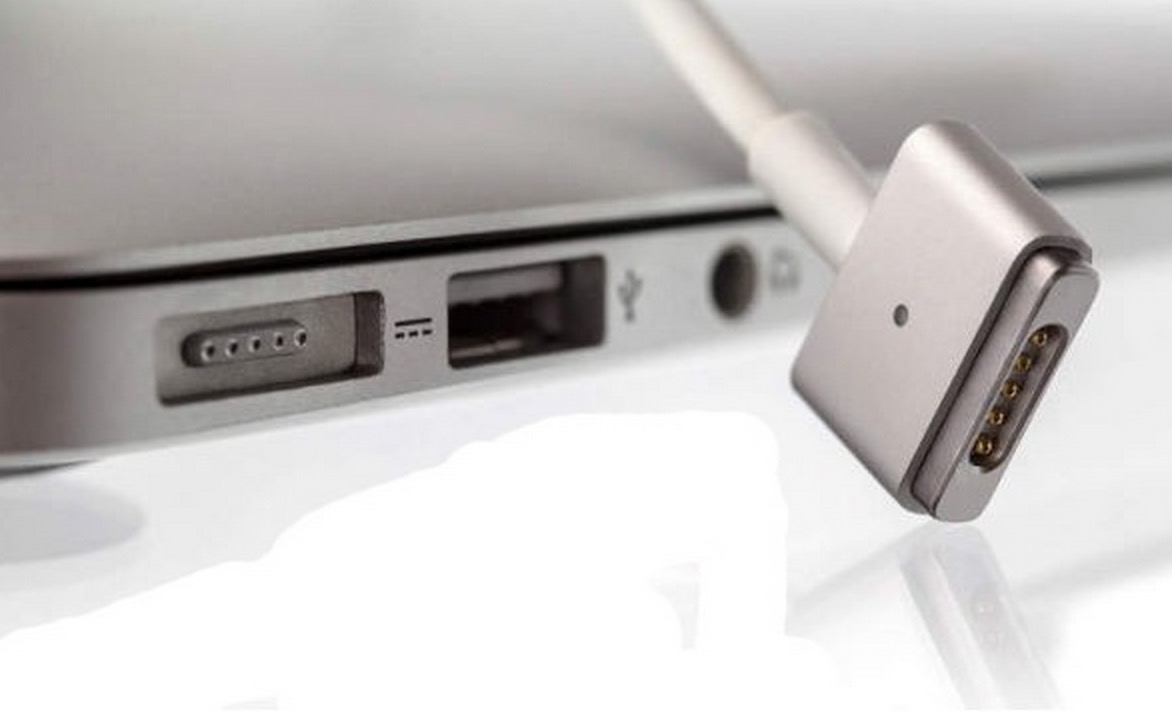
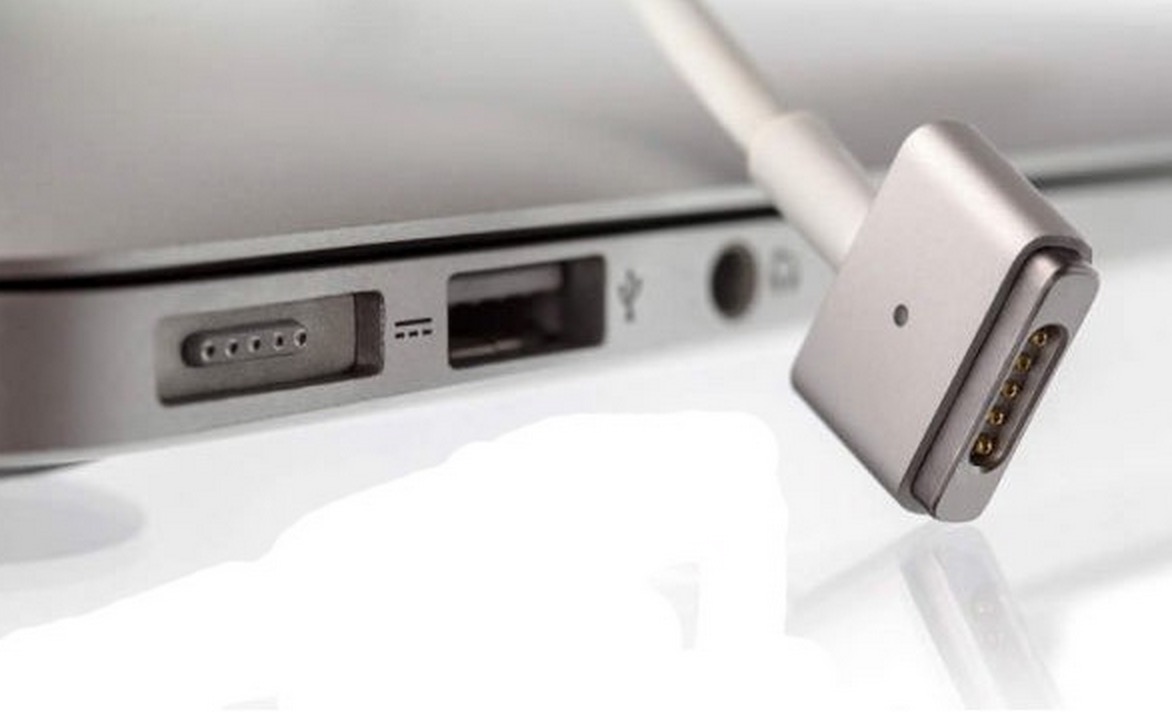


…but only for the new Mac:
>>>You know how the iPhone and iPad plays a little chime when you plug it in? The new MacBook also does that. But sadly, the MacBook Air and MacBook Pro remain completely silent when they connect to juice — which can make it hard to tell when you’ve accidentally knocked the MagSafe loose. [http://www.cultofmac.com/319331/how-to-hack-the-new-macbook-power-chime-onto-the-macbook-air-pro/]
@Lucian: imi scapase asta. Pacat. Suna interesant.
Salut, la mine a mers, si chiar zice: “You will need OS X Yosemite (10.10.3+) and a MacBook, MacBook Pro, or MacBook Air.”
am uitat sa adaug modelul MacBook (13-inch, Aluminum, Late 2008)
e buna asta
ptr situatiile in care esti legat la ochi si nu poti vedea ledul de pe incarcator si e liniste desavarsita in incapere
in rest e inutila